Brand System
Logos
The Sonance logo is clean, lean and all caps. Please only use the unaltered files. Do not modify proportions of the logo, retype or otherwise recreate any version of the logo.
Hero Logo
The Sonance logo is clean, lean and all caps. The 2 color version, with "The Beam" (the blue accent) should be used for any and all brand communications. One color version is available for unique applications. Please only use the unaltered file. Do not modify proportions of the logo, retype or otherwise recreate any version of the logo.
SONANCE
Primary wordmark with signature cyan accent on the "A" called "The Beam"
James
Script logotype for James Loudspeaker sub-brand
IPORT
Secondary wordmark with orange accent for IPORT sub-brand
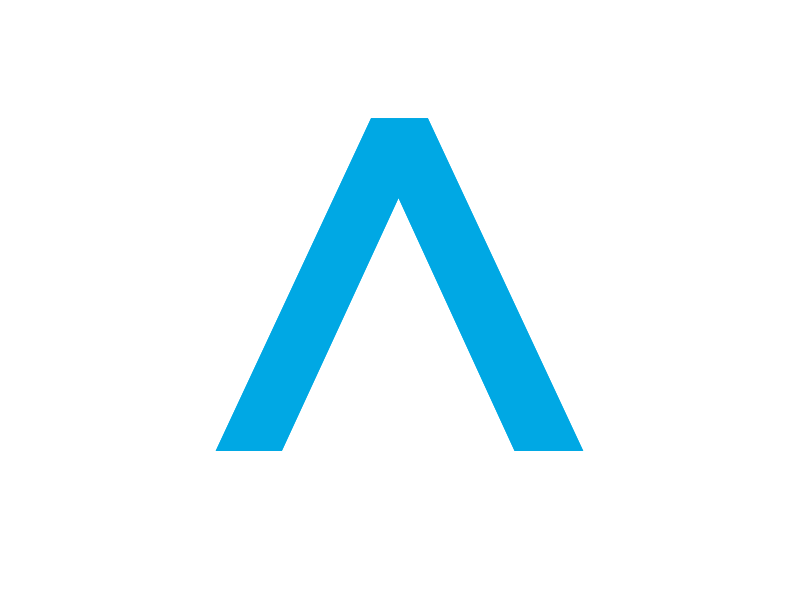
The Beam
The cap blue "A" in Sonance is called "The Beam"
The Beam symbolizes sound coming from above and surrounding you with even, balanced comfortability. But it also represents our team coming together with our many partners, and our complete offering of products and heritage of innovation being unified into a single company message.
Graphically, if you separate The Beam from the wordmark, you've got a device that you can use in a number of ways. Use it selectively for the most impact.

Do's
- Use selectively for the most impact
- Be cautious of the proportion and relationship to the overall brand identity
- Ensure the complete brand name can be easily put in context with the mark
- The Beam should appear in approved Sonance colors
- The Beam should always point upwards or forward
Don'ts
- The Beam should rarely appear by itself
- The wordmark or other significant visual indicators of the company should always be nearby
- Unconsidered or overuse of the beam may dilute the brand message
- Do not rotate The Beam to point downward (exception: select UI or signage)
- Do not use unapproved colors for The Beam
Logo Assets
Download the correct logo variant based on your background color.
No logos found. Please check that logos are properly configured in the database.
Clear Space
Clear space is the area around the logo that is free from any other graphic element. The minimum clear space is equal to the cap height of the logo, a distance that should be maintained to the left, right, top, and bottom.

The clear space ensures the logo remains legible and impactful in all applications. Never crowd the logo with other elements. The same clear space rules apply to all Sonance logo lockups, including the tagline.
Logo Alignment
A small but important detail for anyone working with this logo system.
Center Point: The mark is not centered on the peak of The Beam. When centering type or other design elements above or below the Sonance logo, use the horizontal centerpoint of the total width of the Sonance logo—not The Beam. This rule applies to all Sonance logo lockups, including trademarked versions.
Minimum Size
To ensure legibility, never display the logo smaller than the minimum width.
Digital Applications
For web, mobile apps, and digital displays.
Print Applications
For business cards, brochures, and signage.
Usage Guidelines
Do
- Use 2 color logo on light backgrounds
- Use reverse logo on Sonance blue
- Use reverse logo when color isn't an option
- Use negative space for placement and always observe clear space rules
- Maintain minimum clear space equal to the cap height of the logo
- Keep minimum width of 120px for digital applications
Don't
- Never colorize our logo
- Never rotate our logo (unless you've received permission)
- Never add a stroke to our logo
- Never stretch our logo vertically or horizontally
- Never place our logo over busy backgrounds
- Never modify proportions or recreate the logo
Sonance Foundation
The Sonance Foundation logo is clean, lean and all caps. The 2 color version, with the arrow (the green accent) should be used for any and all Foundation brand communications.
Foundation Color Palette
Sonance Charcoal
#333F48
Foundation Green
#00B2A9
Light Gray
#D9D9D6
White
#FFFFFF
Foundation Icons
There's a set of three icons that represent each focus of the foundation. Please only use the unaltered files. Do not modify proportions of the logo or icons, retype or otherwise recreate any version.
Logo as an Icon
Profile Icons
This icon may be used for social media profile images and other similar communication needs where the full logo cannot be displayed effectively.
Implementation
Use this component for theme-aware logo rendering in Next.js.
// components/SonanceLogo.tsx
'use client';

import Image from 'next/image';
import { useTheme } from 'next-themes';
import { useEffect, useState } from 'react';
import { getLogoUrl } from '@/lib/supabase/storage';

export function SonanceLogo({ className }: { className?: string }) {
  const { resolvedTheme } = useTheme();
  const [mounted, setMounted] = useState(false);

  useEffect(() => setMounted(true), []);

  if (!mounted) return <div className="h-8 w-40" />;

  // Use Supabase Storage URLs
  const logoPath = resolvedTheme === 'dark'
    ? getLogoUrl('sonance/Sonance_Logo_2C_Light_RGB.png')
    : getLogoUrl('sonance/Sonance_Logo_2C_Dark_RGB.png');

  return (
    <Image
      id="sonance-logo-logo"
      src={logoPath}
      alt="Sonance"
      width={200}
      height={32}
      className={className}
      priority
    />
  );
}